 (Image source: Gemini)
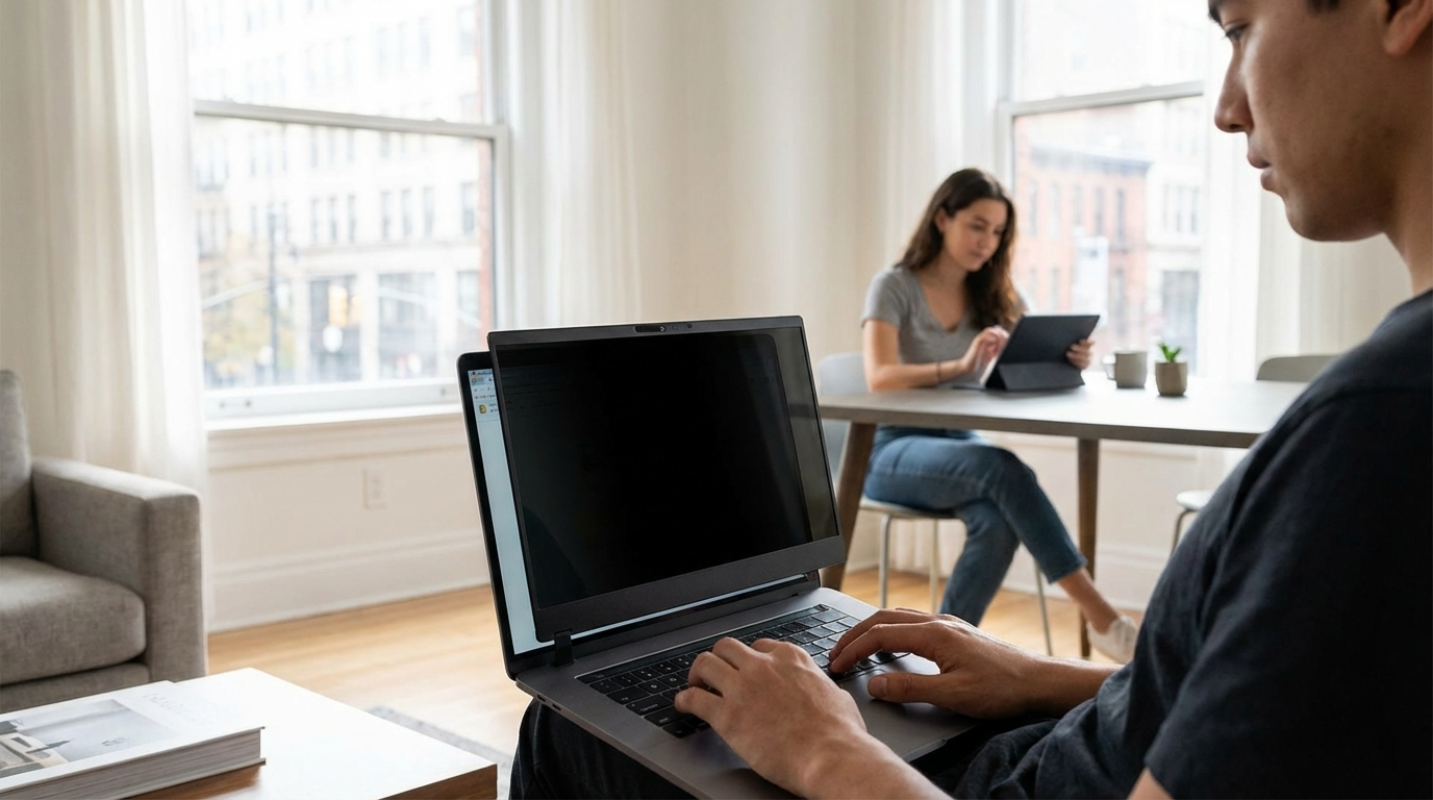
 You’re sitting on your sofa, deep into a spreadsheet or perhaps drafting a sensitive email to your boss. Out of the corner of your eye, you see your roommate wander into the kitchen for a midnight snack. They aren't trying to be nosy, but their eyes naturally drift toward your glowing 27-inch monitor. In that split second, your private professional world and your shared domestic world collide. This is the reality for millions of us. Between the explosion of co-living spaces, multi-generational households, and the high cost of solo renting, our homes have become high-traffic hubs. We share kitchens, we share Wi-Fi, and often, we unintentionally share our data. Taking control of your digital footprint in these close quarters is being professional and proactive. So how do you turn a shared living room into a secure workstation without offending the people you live with?
Mastering Visual and Auditory Privacy
Think of your screen as a window. Without the right treatment, anyone walking by can see everything inside. This is where privacy screens, often called anti-spy filters, become your best friend. These aren't just pieces of plastic. The most common versions use microlouver technology, which works like tiny vertical blinds. If you’re sitting directly in front of the screen, everything looks perfect. But for someone standing at a 30-degree angle, the screen appears completely black or distorted.
The market for these tools has exploded recently, and for good reason. By 2031, the privacy filter industry is expected to be worth over 1.6 billion dollars. People are realizing that visual hacking is the easiest way to lose data. If you use a tablet or a phone in portrait mode, you’ll want to look for a 4-way filter. Standard 2-way filters only block side views, but 4-way versions protect you from above and below too. As a bonus, most modern filters now block up to 98% of blue light. Your eyes will thank you after a long day of staring at the screen.
Beyond the screen, you have to consider what people can hear. We all love our noise-canceling headphones, but remember, they only protect your ears. They don't stop your roommate in the next room from hearing you discuss a client’s budget or a friend’s secret. If you’re handling sensitive calls, a simple white noise machine placed near the door can act as a digital curtain. And when you step away to grab a coffee? Get into the habit of hitting "Windows + L" or "Command + Control + Q" to lock your screen. It takes one second and prevents any accidental glances at your open tabs.
Protecting Your Wi-Fi, Devices, and Smart Home Ecosystem
The biggest threat in a shared home isn't usually someone physically stealing your laptop. It’s "lateral movement." This is a tech term for when a hacker (or just a curious roommate) accesses one weak device on a network to get to another. Maybe your housemate bought a cheap, off-brand smart lightbulb that has zero security. If that bulb is on the same Wi-Fi as your work computer, it could potentially be used as a doorway into your files.
The fix is simpler than you might think. Most modern routers, like the Wi-Fi 7 models that became standard last year, allow you to set up a Guest Network. You should put all shared smart home devices, like Alexa, Google Home, or smart TVs, on this isolated guest network. Keep your main network for your laptop and phone only. This creates a digital wall between your most important data and the "leaky" smart gadgets scattered around the house.
If you want to go a step further, look into Access Point (AP) Isolation in your router settings. This prevents any two devices on the same Wi-Fi from talking to each other. It’s like giving every device in the house its own private room with a locked door.
Establishing Digital House Rules
How do you tell someone you’ve lived with for three years that you don't want them looking at your screen? It can feel awkward. You don't want to sound like you’re hiding something illicit, but you also need your privacy. The trick is to stop making it about "them" and start making it about "the data."
Instead of saying, "Stop looking at my monitor," try using "I" statements. You might say, "I feel a bit anxious when my work projects are visible in the common areas, so I’m going to start using a privacy filter." This frames the tool as a way for you to relax and focus, rather than a critique of their behavior.
It’s also worth drafting a simple "Tech Agreement" when you move in with new people. It doesn't have to be a legal contract. It’s just a set of guidelines. You might agree that no one "pings" or tries to access shared folders without asking, or that everyone uses the guest network for their random IoT gadgets.
What happens if you suspect a breach? Maybe you notice a file has been moved, or your browser history looks weird. Last year, eight more US states, including New Jersey and Minnesota, enacted strict new data privacy laws. These laws are starting to clarify that sharing a home does not mean you waive your right to digital privacy. If someone accesses your private accounts without permission, it’s not just a roommate spat. It’s a legal issue. Courts have consistently ruled that having a shared Wi-Fi password isn't an invitation for others to snoop through your hardware.
Protecting Against Prying Eyes in Public Shared Spaces
The habits you build at home shouldn't stay there. If you’re a digital nomad or someone who frequents co-working spaces, the risks are even higher. In those environments, you aren't just sharing a network with a friend. You’re sharing it with dozens of strangers.
This is where your physical and digital habits have to merge. Your privacy screen is non-negotiable in a cafe. So is a high-quality VPN (Virtual Private Network). A VPN acts as an encrypted tunnel for your data, making it unreadable to anyone else on the public Wi-Fi. Think of it as sending your mail in a locked steel box rather than a clear plastic bag.
Ultimately, protecting your data in a shared home involves creating layers. You have the physical layer (the privacy screen), the hardware layer (the guest Wi-Fi), and the social layer (the roommate agreement). When you stack these together, you create a bubble of privacy that exists even in the middle of a crowded house. You don't have to live alone to have a secure digital life. You just have to be the one who sets the boundaries.
This article on TheDigitalDreamers is for informational and educational purposes only. Readers are encouraged to consult qualified professionals and verify details with official sources before making decisions. This content does not constitute professional advice.