Everyone eventually hits the moment where their laptop fills up, a project needs to move between machines, or a scary noise from an old drive makes them think about backups for the first time. The two obvious answers are an external solid state drive you can hold in your hand and a cloud storage account that lives somewhere far away. Fans of each option tend to talk past each other, but the truth is that these tools solve different problems. Once you understand what each one is genuinely good at, deciding where your files should live becomes much less stressful, and you can build a simple system that protects the things you would hate to lose.
What an External SSD Really Buys You
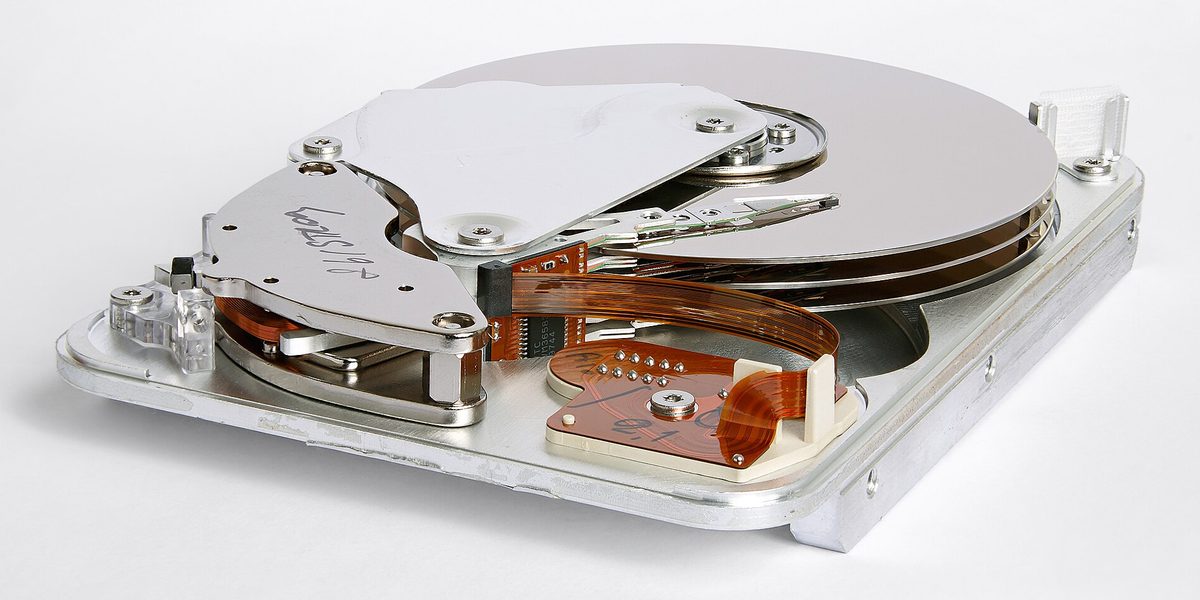
An external SSD is fast, quiet, and shockingly small. Unlike the spinning hard drives of the past, it has no moving parts, so it shrugs off bumps in a bag and transfers large files at speeds that make copying a video project or a photo library feel almost instant. For anyone who works with big media files, that speed is the headline feature: you can often edit directly from the drive without copying anything to the computer first.
The other thing a local drive buys you is independence. Your files are available on a plane, in a dead zone, or during an internet outage. There is no monthly fee, no account to get locked out of, and no upload that takes all night. You pay once, and the capacity is yours. The tradeoff is that a physical object can be lost, stolen, or damaged, and it only protects you if you actually remember to plug it in and copy things to it.
What Cloud Storage Really Buys You
Cloud storage flips those strengths and weaknesses. Its killer feature is not capacity but presence: your files follow you to every device you sign in on, and sharing something with another person takes seconds instead of a coffee-shop handoff. Most services also keep older versions of files for a while, which quietly saves people from their own mistakes far more often than it saves them from failed hardware. Accidentally overwrite a document or delete a folder, and there is usually a way back.
The cloud also excels at surviving disasters that destroy everything in one place. A house fire, a flood, or a stolen bag can take your computer and your external drive in the same moment; it cannot take a copy stored in a data center in another region. The tradeoffs are ongoing cost, dependence on your internet connection, and trust. Uploading a large archive can take days on a slow connection, monthly fees continue forever, and you are relying on a company to keep your account accessible and your data intact.
Speed, Cost, and Capacity in Plain Terms
For raw speed, the local drive wins and it is not close. Copying to an SSD is limited by the cable and the drive; copying to the cloud is limited by your internet connection, and upload speeds are usually a fraction of download speeds. If you regularly move very large files, the cloud will test your patience.
Cost works differently for each. An SSD is a single purchase with a price that scales with capacity, and the cost per gigabyte keeps improving. Cloud storage is a subscription: modest amounts are cheap or free, but large libraries carry a fee that repeats every month for as long as you keep the files. Over several years, a large cloud plan can cost more than a very good drive. On the other hand, the subscription includes things a drive cannot offer, like automatic syncing, version history, and the maintenance of the hardware being someone else's problem.
The Question That Actually Decides It
Instead of asking which option is better, ask what job each file needs done. Files fall into a few natural groups, and each group has an obvious home.
- Active documents you touch weekly belong in cloud sync, so every device sees the current version and accidental edits can be rolled back.
- Large media projects such as video, raw photos, and audio sessions belong on a fast external SSD, where the size and speed demands are handled locally.
- Irreplaceable memories like family photos and personal records belong in both places at once, because no single copy of something irreplaceable is ever acceptable.
- Archives you rarely open can live on an external drive, with the most precious subset mirrored to the cloud.
Seen this way, the debate dissolves. The cloud is your convenience and disaster layer; the SSD is your speed and capacity layer. Most people need a modest amount of both rather than a maximal amount of either.
Neither One Alone Is a Backup Plan
Here is the uncomfortable part: a single external drive is not a backup, and neither is a lone cloud account. A drive can fail without warning, and files that exist only in a sync folder can be deleted everywhere by one wrong click, since sync faithfully copies your mistakes to every device. A real backup means at least two independent copies of anything important, ideally three, with one of them stored somewhere physically separate from the others.
The classic guideline is simple: keep the original on your computer, a second copy on a local drive, and a third copy offsite, which for most people means the cloud. You do not need to apply this to everything you own. Apply it ruthlessly to the irreplaceable category and casually to everything else. Losing a downloaded file is an errand; losing the only photos of someone you love is a tragedy. Build the system around the second case.
Habits That Make Either Option Work
Tools fail quietly when habits are missing, so a few routines matter more than the hardware. Put backup time on the calendar, or better, automate it: most operating systems include software that can back up to an external drive on a schedule whenever it is connected, and cloud sync runs itself once configured. Every few months, test a restore by actually opening a few backed-up files, because a backup you have never tested is a hope, not a plan.
Treat the physical drive kindly. Keep it in a padded case, eject it properly before unplugging, and label it so future you knows what it holds. For the cloud, protect the account like it guards your files, because it does: use a strong unique password and turn on two-factor authentication. If some files are sensitive, encrypt them before uploading or use a service that offers end-to-end encryption, and keep the recovery keys somewhere safe. Finally, resist the temptation to scatter files across five services and three drives; a simple system you understand beats an elaborate one you abandon.
How to Choose If You Can Only Pick One
Budgets are real, so if you must start with one option, let your situation decide. Choose the external SSD first if you work with large files, have slow or capped internet, or dislike subscriptions; it solves the space problem immediately and can serve as a scheduled backup target. Choose cloud storage first if your files are mostly documents and photos, you move between several devices, or you worry about theft and disasters more than speed; it protects you from the widest range of bad days with the least effort.
Then, when the budget allows, add the other. The second purchase is what upgrades you from convenience to genuine resilience, because the two options fail in completely different ways, and that difference is exactly what you want in a safety net.
Final Thoughts
External SSDs and cloud storage are not rivals so much as teammates with opposite strengths. The drive gives you speed, capacity, and independence; the cloud gives you access everywhere, version history, and survival through disasters. Sort your files by what they need, protect the irreplaceable ones in both places, and automate whatever you can so the system runs without your attention. Do that once, and the question of where your files should live quietly answers itself for years.