If you type for a living, your keyboard is arguably the most-used tool in your entire life. A full-time writer, programmer, or office worker can easily press millions of keys in a year, yet most people give less thought to their keyboard than to their coffee mug. The keyboard world splits broadly into two camps: membrane boards, the quiet, inexpensive kind bundled with most computers, and mechanical boards, the clicky, customizable kind beloved by enthusiasts. Each has genuine strengths, and the right choice depends on how you type, where you work, and what your hands tell you at the end of a long day. This guide explains how each technology works and walks through the differences that matter for all-day typing.
How the Two Technologies Work
A membrane keyboard uses thin layers of flexible plastic printed with circuits. Beneath each key sits a rubber dome; pressing the key collapses the dome, which pushes the layers together and registers the keystroke. It is a simple, inexpensive design, which is why it dominates budget keyboards and nearly all laptops.
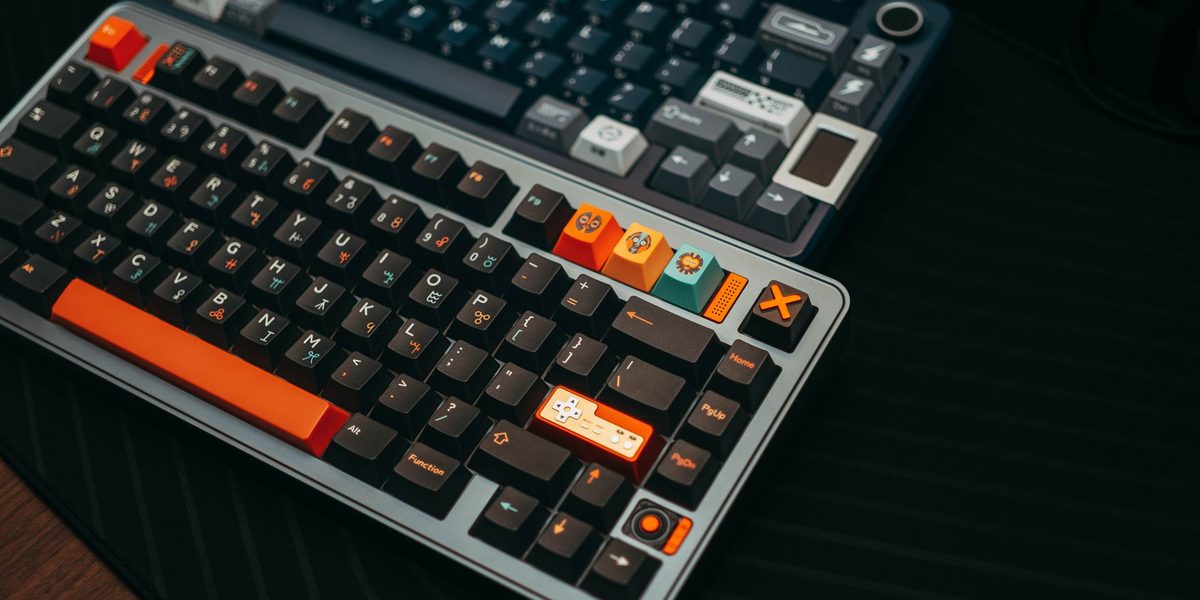
A mechanical keyboard gives every key its own physical switch: a housing, a spring, and a moving stem. Pressing the key compresses the spring until the switch registers, then the spring pushes the key back up. Because each switch is an independent component, manufacturers can tune the force required, the distance traveled, and whether the switch produces a tactile bump or an audible click. That tunability is the heart of the mechanical keyboard's appeal.
Typing Feel: The Biggest Difference
Feel is where the two designs diverge most dramatically. Rubber domes have a somewhat mushy character: resistance builds, then collapses all at once, and you generally must press the key all the way down to be sure it registered. Over thousands of keystrokes, that bottoming-out can translate into more impact traveling through your fingertips.
Mechanical switches register partway through the keypress, so practiced typists learn to float across the keys without slamming them down. Switches come in three broad families. Linear switches move smoothly from top to bottom with no bump, favored by people who want an unbroken, gliding feel. Tactile switches add a gentle bump at the actuation point, giving your fingers physical confirmation that the keystroke landed. Clicky switches pair that bump with a sharp audible click. None of these is objectively superior; they are flavors, and most people develop a strong preference only after trying them.
Noise: Your Housemates Have Opinions
Sound deserves its own section because it is the most common source of keyboard regret. Membrane boards are naturally quiet, producing little more than a soft patter, which makes them safe for shared spaces, open offices, and video calls. Mechanical boards span a huge range. Clicky switches are genuinely loud and can be clearly audible through a closed door or a conference-call microphone. Tactile and linear switches are quieter, and dampened variants exist that approach membrane levels of hush.
Before buying a mechanical board for a shared home or frequent meetings, think honestly about the acoustic environment. Many remote workers love a crisp click in an empty room and mute their microphone religiously; others discover that a partner working one room away does not share their enthusiasm. If in doubt, choose a quieter tactile or dampened switch, which preserves most of the typing pleasure without the soundtrack.
Durability and Long-Term Ownership
Mechanical switches are rated for tens of millions of keystrokes per key, several times the typical rating of rubber domes. Beyond raw endurance, mechanical boards fail more gracefully: domes tend to grow inconsistent over time, with some keys becoming stiffer or less reliable, while mechanical switches usually keep their character for years.
Serviceability compounds the advantage. On many mechanical boards, keycaps pull off easily for deep cleaning, and on hot-swappable models an individual worn switch can be replaced in seconds without any soldering. A membrane board that fails is almost always replaced rather than repaired. Over a decade of daily typing, a well-made mechanical keyboard can outlive several membrane boards, which softens its higher purchase price considerably.
Comfort and Fatigue Over Long Sessions
For all-day typists, comfort is the question that matters most, and it is also the hardest to answer universally. Many people report less finger fatigue on mechanical switches because actuating partway down the keystroke encourages a lighter touch. Heavier springs suit deliberate typists; lighter springs suit fast, gentle ones. The ability to choose is itself an ergonomic feature.
That said, technique and setup influence comfort at least as much as switch design. A few habits help on any keyboard:
- Keep wrists floating or neutrally supported rather than bent upward at the pad.
- Let fingers strike keys lightly instead of pounding to the bottom.
- Position the keyboard low enough that forearms stay roughly level.
- Take short breaks to stretch hands during long sessions.
If you experience persistent hand or wrist discomfort, no keyboard purchase substitutes for advice from a medical professional, and it is worth consulting one before pain becomes chronic.
Price, Size, and Practical Considerations
Membrane keyboards win decisively on price; perfectly serviceable models cost very little, and even premium membrane boards remain inexpensive. Mechanical boards start higher and climb steeply with enthusiast features, though entry-level mechanical options have become far more affordable than they once were.
Size and layout matter too. Both technologies come in full-size layouts with number pads, compact tenkeyless versions, and smaller formats that save desk space and let your mouse sit closer to your body. Mechanical boards offer the widest variety of layouts, keycap materials, and customization, including programmable keys and swappable caps. Membrane boards counter with slimmer profiles and lighter weight, which some typists genuinely prefer, especially those who like the shallow, laptop-style feel.
There is also a middle ground worth knowing about. Scissor-switch boards, common on laptops and slim desktop keyboards, are technically membrane designs but add a stabilizing mechanism that gives keys a crisper, more consistent feel than basic domes. Low-profile mechanical switches shrink the classic mechanical design into a slimmer body, trading some travel for a sleeker desk presence. If you find full-height mechanical boards bulky but ordinary membranes vague, one of these hybrids may be the sweet spot, and they deserve a try before you assume the choice is strictly binary.
Which One Should You Choose?
Choose a membrane keyboard if you type in noise-sensitive spaces, prefer a shallow and quiet feel, want to spend as little as possible, or simply have never been bothered by the keyboard you already own. There is no rule that says serious typists must go mechanical, and plenty of prolific writers happily use quiet, flat boards their whole careers.
Choose a mechanical keyboard if you type many hours daily and want a feel tuned to your fingers, value a board that can be cleaned, repaired, and customized for a decade, or find that typing pleasure genuinely motivates you to work. If you can, try before you buy: sample a friend's board or a switch tester, because five minutes of real typing teaches more than any review. Start with a modest tactile model rather than the most expensive option, and upgrade only once you know your preferences.
Final Thoughts
The mechanical versus membrane debate has no universal winner, only a right answer for your hands, your ears, and your budget. Membrane boards are quiet, cheap, and unobtrusive; mechanical boards are durable, customizable, and, for many typists, simply more pleasant across a long day. Whichever direction you go, pay attention to how your hands feel after real use, keep your posture honest, and remember that the humble keyboard is a tool you use more than almost anything else you own. It deserves at least as much thought as your next phone.