 (Image source: Gemini)
 If you think cable management is just about making things look pretty, think again. Research in environmental psychology shows that working in an organized, clutter-free environment can significantly boost your productivity. When your brain sees a chaotic pile of wires, it can trigger a subtle release of the stress hormone cortisol, leading to what experts call cognitive overload. You are trying to focus on a task, but part of your brain is busy processing visual "noise."
Then there are the practical risks. Those tangles create a perfect "dust bunny" habitat that is impossible to clean. Over time, that dust can get into your PC fans or ports, leading to overheating. Unmanaged cables can also be a trip hazard. A stray loop of wire under your feet is a recipe for a broken laptop or a twisted ankle.
Three Zones of Cable Management
When you start looking at solutions, it helps to break your desk down into three distinct zones. Think of it as a three-pronged attack on clutter. First, there's the space under the desk, which is ideal for hiding the bulky, unsightly items. Second is the desk surface itself, where you want to keep things minimal and functional. Finally, you have the vertical paths that connect the two. The routes your cables take to get from your devices down to the power source. By tackling each of these zones with specific strategies, you can create a comprehensive and effective cable management system that is both clean and practical.
The Heavy Lifters
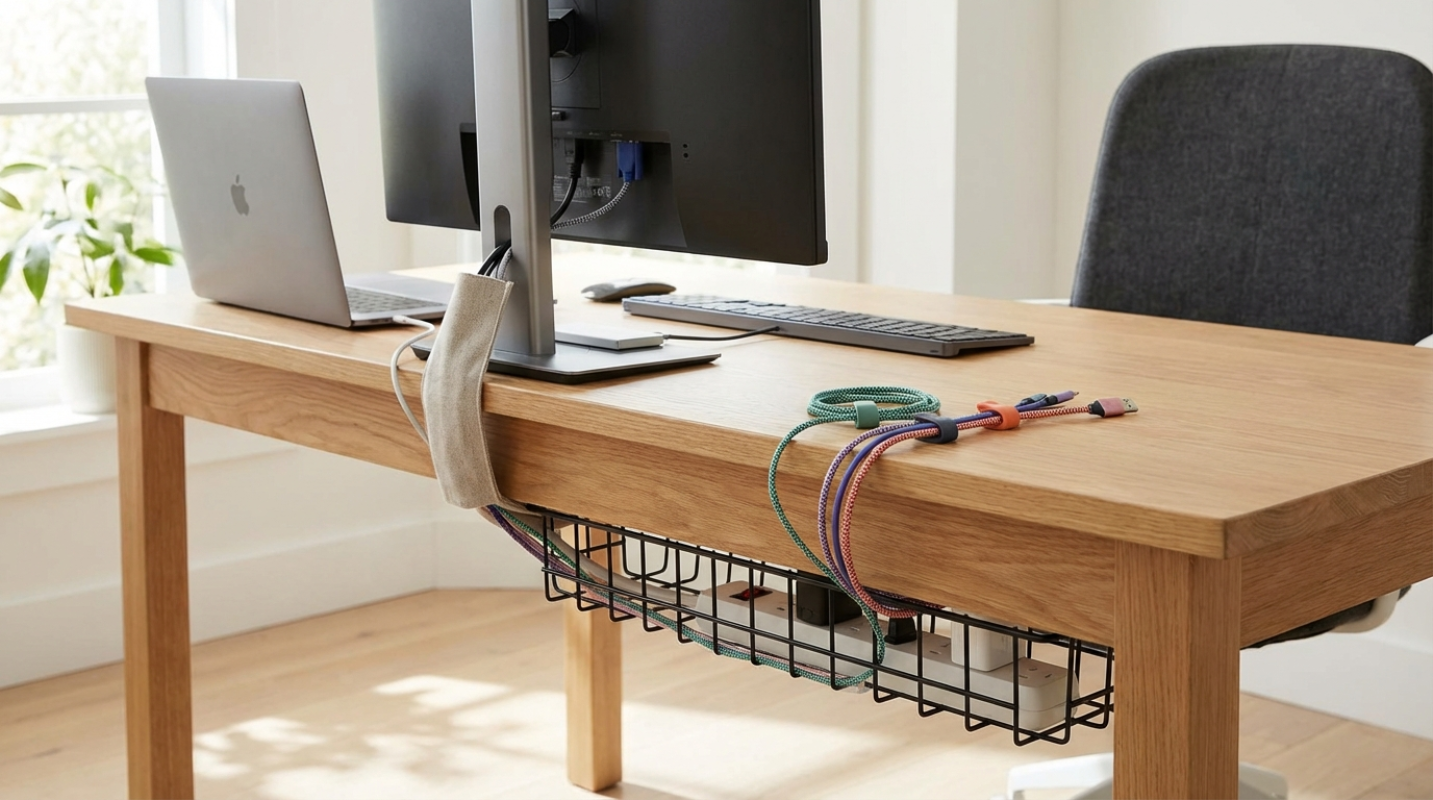
This is where you hide the "ugly" stuff like power strips and massive power bricks. Trays, raceways, and baskets are the go-to here. A good tray acts like a shelf for your mess, keeping everything off the floor and out of your legroom.
- The Fully Cable Management Tray is a popular choice for its wide, open design that allows for easy access and good airflow for warm power bricks. For a no-drill option, look for trays like the Stand Up Desk Store's Clamp-On Cable Tray, which attaches with C-clamps.
- 3M Command Cord Bundlers are strong, easy to apply, and can be removed without damaging your desk's surface. They are perfect for guiding a monitor or lamp cord from the back to the front.
Surface Solutions
Surface solutions are all about the cables you interact with every day, like your phone charger or laptop power cord. This is where cable clips and magnetic holders shine, keeping your cords from sliding off the back of the desk every time you unplug them.
- The Anker Magnetic Cable Holder is sleek and effective. It keeps up to five cables neatly organized and within reach, preventing the frustrating search for a fallen cord.
- Blue Key World Cable Clips are a simple and affordable solution. You can place them exactly where you need them to guide your mouse, keyboard, and charging cables.
Vertical Solutions
This is how you get power from the wall up to the desk. If you have a standing desk, this is the most important part. You need flexible sleeves or "cable spines" that can expand and contract as the desk moves, preventing you from yanking a port out of your motherboard.
- The JOTO Cable Management Sleeve is a popular zippered option. You can easily add or remove cables, and its flexible material works well with both static and height-adjustable desks.
- The Humanscale NeatLinks Cable Spine guides cables from the floor to the desk in an articulated "vertebrae" chain. It looks professional and prevents any tension on your connections as the desk moves up and down.
Truly Invisible Cable Run
If you want to go from "organized" to "invisible," you need to adopt a few advanced tactics. Thankfully, experts know how to turn that messy bunch of wires into something you'd never see unless you specifically looked for it.
- Embrace the One-Cable Rule: Use a high-quality docking station or a USB-C hub. Instead of plugging five different things into your laptop, you plug everything into the hub (hidden under your desk) and run a single cable up to your computer. The Caldigit TS4 Thunderbolt 4 Dock is a power-user favorite for this.
- Mount Your Power Bricks: Use heavy-duty mounting tape, like Gorilla Mounting Tape, to stick power bricks directly to the underside of your desk or the inside of a cable tray. Getting them off the floor makes your office feel ten times bigger.
- Label Everything: It feels like overkill at first, but you will thank yourself later. Use a simple label maker, like a Brother P-Touch, to mark both ends of every cord. This reduces troubleshooting time because you do not have to play "follow the wire" through a dark bundle.
- Leave Some Slack: For standing desks, remember the 10-15% slack rule. Leave a little extra "U-shaped" curve in your main cable bundle. This ensures that when your desk hits its maximum height, there is no mechanical tension on your ports. Tension is the enemy of connectivity.