On a video call, people forgive a mediocre picture far more readily than mediocre sound. A grainy face is still a face, but a voice that is boomy, distant, or drowned in echo wears listeners out within minutes, and they rarely tell you. If remote conversation is a big part of your work or your social life, how you sound is worth deliberate attention. The good news is that sounding clear is mostly about physics and placement rather than price, and the upgrade path from free fixes to serious gear is short and well mapped. Here is how to climb it sensibly, stopping wherever your ears and your listeners say you have arrived.
Why You Probably Sound Worse Than You Think
The microphone built into a laptop sits far from your mouth, right next to a fan and a keyboard, pointed at the whole room. From that position it hears everything equally: your voice, the echo of your voice off the walls, the fan, the street, and every keystroke conducted through the chassis. Software tries heroically to clean this up, and modern noise suppression is impressive, but it cannot fully separate a distant voice from a reflective room, and aggressive processing gives speech an underwater, syllable-clipping quality.
The core principle behind every fix in this article is distance. The closer a microphone is to your mouth relative to everything else, the more voice and the less room it captures, and the less software surgery your words need. Almost every upgrade below is a way of shrinking that distance or taming the room around it.
Free Fixes First: Placement and Room
Before spending anything, move things around. If you use a laptop mic, get closer to the machine, and stop typing on the same keyboard the microphone lives under; an external keyboard alone removes a barrage of thuds. Silence the noise sources you control: fans pointed at the desk, a rattling vent, an open window onto traffic.
Then address the room, because echo is the amateur sound signature. Hard bare surfaces reflect your voice back into the mic a split second late, producing that hollow, cavernous tone. Soft things absorb it: a rug, curtains, a fabric sofa, a bookshelf full of irregular shapes, even a blanket temporarily hung near your desk. You do not need studio panels; you need the room to be less like a bathroom. Take a call from a carpeted, curtained bedroom and one from an empty-walled kitchen and you will hear the difference instantly. Finally, check your call software's microphone settings and try its noise suppression modes; the defaults are not always the best choice for your space.
The Humble Headset Beats Fancy Desk Gear
Here is the industry's open secret: a modest wired headset with a boom microphone outperforms much more expensive equipment for calls, because the boom parks the mic an inch from your mouth. At that distance your voice overwhelms the room, echo becomes irrelevant, and even cheap capsules sound clear and present. This is why call centers and podcasters alike reach for boom mics.
Headsets also solve the other half of call audio: because the speakers are on your ears, your computer never plays the other person's voice into your microphone, which lets echo cancellation relax and everyone's audio breathe. Wired models never run out of battery mid-meeting and add no wireless compression. Ordinary wireless earbuds are a decent middle ground, with one caveat worth knowing: when their microphone is active, some earbuds drop into a call mode that noticeably degrades audio quality, so they can be better for listening than speaking. If you take calls all day, a dedicated headset earns its desk space within a week.
Stepping Up: The Desktop Microphone
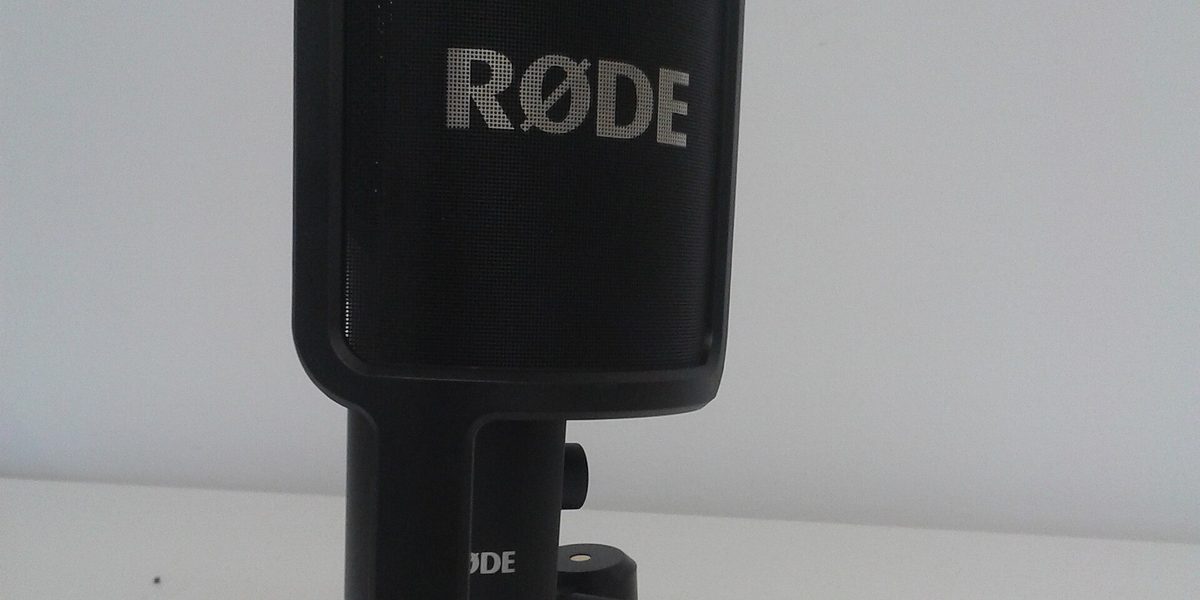
If you want to sound rich rather than merely clear, or you hate wearing anything on your head, the next rung is a dedicated desktop microphone that plugs in over a simple cable. The step up in capsule quality brings a fuller, warmer voice that flatters long meetings, recordings, and presentations. But an expensive microphone placed badly loses to a cheap one placed well, so position is still the whole game.
- Get it close: within roughly a forearm's length of your mouth, not standing at the far edge of the desk.
- Get it off the desk surface with a small stand or boom arm, so keyboard thumps do not travel up into it.
- Point it at your mouth and speak across or slightly past it, which keeps breath blasts off the capsule.
- Choose a directional pattern if the mic offers options; a pattern that favors sound from the front rejects the room behind and beside it.
Set the input level so your normal voice lands strong but never crackles at peaks, and do a short test recording rather than trusting the meter alone. A desktop mic still hears more room than a boom headset, so this path pairs best with the soft-room fixes from earlier.
Taming Noise: What Software Can and Cannot Do
Modern noise suppression, whether built into call apps or offered by the operating system, is genuinely good at steady noise: fans, hum, distant traffic. It struggles with sounds that resemble speech, such as a television, other voices, and clattering dishes, and it degrades your own voice as it works harder. Treat it as a safety net rather than a plan. The winning combination is a close microphone doing most of the work with light software cleanup behind it.
One more software habit pays off: check what device your call app is actually using. Systems love to silently switch inputs when devices connect and disconnect, and many a person has bought a nice microphone only to spend a month unknowingly talking through their webcam. Make a habit of glancing at the input selector when a call starts, and use the app's test-recording feature after any hardware change.
Sounding Good in Imperfect Places
Not every call happens at a tuned desk. For calls on the move, a wired headset or earbuds beat the phone held at arm's length, and choosing a spot away from wind and hard walls does the rest. In a temporary workspace, face your voice into something soft, such as a closet of clothes or a curtained window, rather than into a bare wall. In a shared home, a close microphone is also a courtesy tool: it lets you speak at a normal volume rather than projecting across the room, which keeps your voice out of the other rooms and household sounds out of your meeting.
If you record anything for later, such as presentations or videos, do a ten-second test in the actual spot first and listen on headphones. Rooms change with open doors and moved furniture, and the test costs nothing compared with re-recording.
How Far Up the Ladder Should You Go?
Match the investment to the stakes. If calls are occasional, free fixes plus any wired headset you already own are genuinely enough. If you spend hours daily in meetings, a comfortable boom-mic headset is the best value in the entire audio world. If you present, teach, record, or simply care how you sound, a desktop microphone with good placement and a softened room reaches the level where people compliment your audio. Beyond that lies enthusiast territory, with audio interfaces and studio treatment, and it is lovely, but it is a hobby rather than a call upgrade. Nobody on a video call can hear the difference between very good and perfect.
Final Thoughts
Clear calls come from a short list of unglamorous moves: get the microphone close to your mouth, soften the room, quiet what you can control, and let software polish rather than rescue. A wired boom headset gets most people all the way there, and a well-placed desktop mic covers the rest. Spend on placement and habits before hardware, verify what device is live before you speak, and your voice will do what it is supposed to do on every call: carry your ideas, and disappear.