Going paperless never quite finishes the job. Bills arrive by email, contracts get signed on screens, and yet paper keeps materializing: tax documents, warranties, medical records, school forms, the occasional official letter that stubbornly insists on being physical. The result in many home offices is the worst of both worlds, a thin but persistent drift of paper with no system, because the official system is digital. The fix is not more filing cabinets. It is a small, deliberate workflow that routes every sheet toward one of three fates, scan, file, or shred, and a digital structure tidy enough to trust. Here is how to build it.
Accept That Some Paper Is Permanent
The first step is a mindset correction: mostly paperless is the destination, not fully paperless. A handful of documents are worth keeping in their original physical form, either because institutions may want originals or because replacing them is painful. Birth and marriage certificates, passports and identity documents, property deeds and titles, wills, and certain signed agreements belong in this category. So do items with intrinsic value, like certified documents with raised seals.
Once you accept that a small permanent archive will always exist, you can size it honestly: for most households it fits in one slim fire-resistant box or a single file tote, not a cabinet. Everything else, the utility statements, receipts, notices, and routine correspondence, is a candidate for digitizing and shredding. Drawing that line clearly is what shrinks a lifetime of paper down to one manageable container plus a scanner.
Give Incoming Paper Exactly One Landing Zone
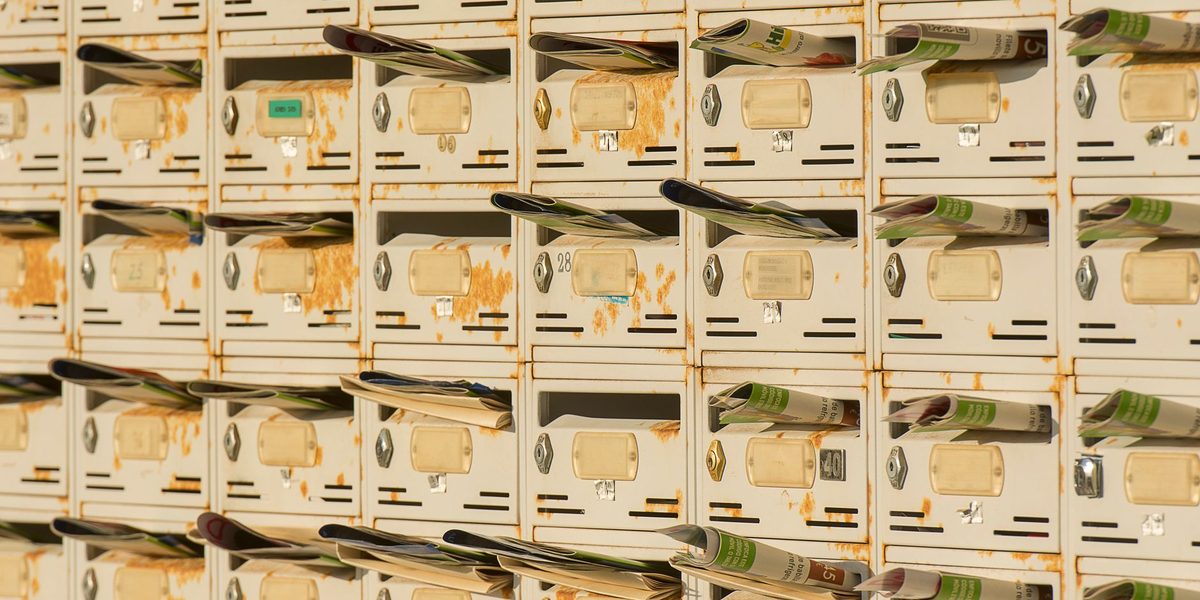
Paper chaos begins at arrival, when mail and forms scatter across kitchen counters and desk corners. Kill the scatter with a single inbox: one tray or wall pocket, in the office or wherever mail naturally enters the home, where every incoming sheet goes without exception. No decisions happen at drop-off; the tray's only job is to guarantee that paper has one location instead of seven.
The tray works because it is paired with a rule: it gets emptied on a schedule, not when it overflows. Once a week is enough for most households. During that pass, every item gets one of four verdicts on the spot: act on it, scan it, file the original, or shred and recycle it. The verdicts are quick precisely because they are the same four every time. What destroys paper systems is not volume; it is deferred deciding, the shuffle-and-return move that lets the same envelope get handled six times.
Reduce the inflow while you are at it. During a few weekly passes, note which senders keep filling the tray and switch each one to electronic delivery, unsubscribe from the catalogs, and opt out of the promotional mail you can. Every stream you divert upstream is a decision you never have to make downstream, and after a couple of months the weekly pass often shrinks to a handful of items.
Make Scanning Effortless or It Will Not Happen
Scanning is the hinge of a mostly paperless office, so remove every ounce of friction from it. A phone scanning app is genuinely sufficient: modern apps crop, straighten, and produce clean multi-page files in seconds, and the phone is always within reach. If you process bigger stacks, a compact sheet-fed scanner near the inbox tray turns a pile into files in minutes. The right tool is whichever one you will actually use during the weekly pass.
Standardize what happens at the moment of capture. Give the file a findable name immediately, in a consistent pattern such as topic, source, and a brief description, and send it straight to its digital folder rather than letting scans pool in a downloads folder, which is just a junk drawer with a search bar. A scan that takes fifteen seconds including naming and filing is a habit; one that requires a follow-up organizing session is a backlog generator.
Build a Digital Filing System You Can Trust
The paperless half of the office needs the same discipline as the paper half, and the enemy is over-engineering. Deep, elaborate folder trees look impressive and then get bypassed the first busy week. Aim for a shallow structure with a small number of broad, stable categories that mirror how you actually think about documents.
- Home: leases or mortgage papers, insurance, utilities, repairs, and warranties.
- Money: tax documents by year, statements, and major receipts.
- Health: records, insurance paperwork, and explanations of benefits, per person.
- People: a folder per household member for school, identity, and personal documents.
- Work: contracts, invoices, and business records, kept separate from household files.
Within those, consistent file names do the heavy lifting, and search does the rest. Back the whole structure up automatically in at least two places, such as a synced cloud folder plus a periodic external-drive copy, because a paperless archive without backups is more fragile than the shoebox it replaced. Sensitive documents deserve encryption or a password-protected vault, and any account that guards them deserves strong, unique credentials.
Keep One Slim Home for Physical Originals
The originals you decided to keep need a real home, not a pile with good intentions. A single file box or slim drawer with a handful of labeled hanging folders, mirroring the same categories as your digital structure, is enough. Store the truly irreplaceable core, identity documents, deeds, wills, in a fire-resistant document safe or box, and let trusted household members know where it lives and how to access it in an emergency.
Add a simple index: one page, or a note in your digital system, listing what physical originals exist and where. This tiny document is what makes the hybrid system coherent, because the most common failure in a mostly paperless office is not losing a file; it is forgetting whether something exists on paper, in the cloud, or both, and searching both badly.
Purge on a Rhythm, Not in a Crisis
Even a good system accumulates expired weight: superseded insurance policies, warranties for appliances long gone, statements past any plausible usefulness. Schedule a light annual purge, conveniently paired with tax season since you are already touching documents. Shred what has expired, delete digital duplicates, and confirm the index still matches reality. Retention guidelines vary by document type and situation, so when in doubt about tax or legal papers, keep the digital copy, which costs nothing, and ask a qualified professional about discarding originals.
Shred anything bearing account numbers, identification details, or signatures rather than tossing it whole; a small home shredder pays for itself in peace of mind. The purge should take an hour, not a weekend, and if it takes longer, that is a signal the weekly pass has been skipping decisions worth investigating.
Digital purging deserves the same rhythm. Once a year, sweep the scan folders for duplicates and misfiled strays, empty whatever landed in downloads, and verify the backup actually restores by opening a few files from it. An archive you have never tested is a hope, not a system, and the annual pass is the natural moment to turn hope into confidence.
Final Thoughts
A mostly paperless office runs on a short loop: one inbox where paper lands, one weekly pass where every sheet is decided, one effortless scan-and-name habit, one shallow digital structure with real backups, and one slim box of originals with an index. None of the pieces are clever, which is exactly why the system holds up under busy months. Paper will keep arriving; that part is out of your control. Whether it becomes a drift across the desk or a fifteen-minute weekly chore is entirely in it.