Working from home shifts a surprising amount of energy cost from the office building to your own meter. Monitors, laptops, printers, chargers, speakers, and desk lamps all sip electricity for hours a day, and many of them keep sipping long after you log off. The good news is that a home office is one of the easiest rooms in the house to optimize, because almost everything in it follows a predictable schedule. With a few inexpensive smart plugs and some small automations, you can trim the waste without ever thinking about it again. This is not about grand lifestyle changes or spreadsheets of kilowatt hours. It is about setting things up once so the room simply stops drawing power when you are not using it.
Understand the Problem: Phantom Load
Most office gear never truly turns off. When a monitor goes dark, a printer sits idle, or a laptop charger stays plugged in with nothing attached, each device continues to draw a small trickle of electricity. Engineers call this standby power, and households know it as phantom load or vampire power. Any single device wastes only a little, but a desk usually hosts a whole cluster of them, and the cluster runs around the clock, seven days a week.
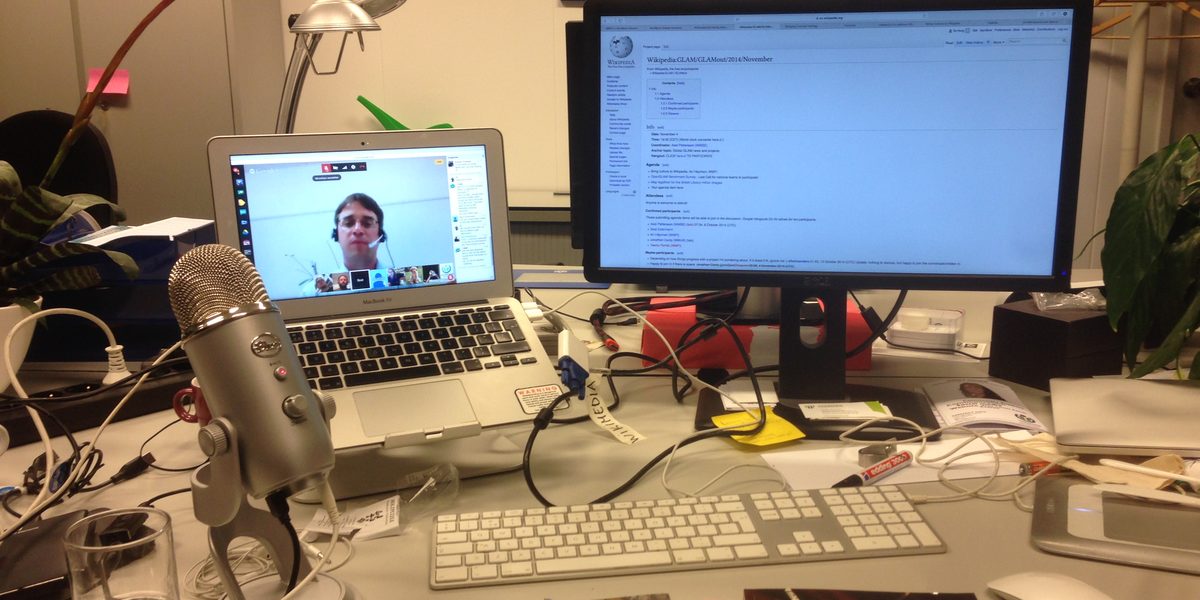
Think through a typical setup: one or two monitors, a docking station, powered speakers, a desk lamp, a printer, a phone charger, maybe a space heater or fan in season. Each one that idles overnight and through every weekend adds hours of pointless draw. Because the waste is silent and invisible, nobody notices it. That is exactly why automation beats willpower here. You will forget to unplug things; a schedule will not.
Where Smart Plugs Help the Most
A smart plug is a small adapter that sits between a device and the wall outlet, letting you switch the power on and off from an app, a voice assistant, or an automatic schedule. The trick is choosing the right devices to put behind one. Smart plugs shine with gear that draws standby power but does not need to stay awake for updates or overnight tasks.
- Monitors and displays are ideal candidates. They do nothing useful overnight and power back up instantly.
- Printers are notorious idlers. Most people print occasionally, yet the printer waits in ready mode all day. Powering it only when needed costs you a short warmup and saves constant draw.
- Speakers, audio interfaces, and desk lamps hold no state worth preserving and lose nothing when cut off completely.
- Chargers for phones, tablets, headphones, and camera batteries keep drawing small amounts even with nothing attached, and batteries do not benefit from sitting at full charge on power all night.
Keep your main computer off the smart plug if it is a desktop, since cutting power abruptly can interrupt updates or corrupt files. Laptops are more forgiving because the battery bridges the gap, which makes a laptop charger a fine candidate for scheduled power.
Build a Simple On and Off Schedule
The most valuable automation is also the most boring one: a schedule that matches your working hours. Set the plugs feeding your monitors, lamp, and speakers to switch on shortly before you usually sit down and off an hour or so after you typically finish. If your hours vary, err on the generous side; the savings come from the long overnight and weekend stretches, not from shaving minutes at the edges of the day.
Most smart plug apps also support a weekend profile. Letting the whole desk stay dark on Saturday and Sunday is often the single biggest win, because those two days represent a large share of the week during which idle gear would otherwise sit in standby. If you sometimes work odd hours, keep a manual override handy: tapping the app or pressing the physical button on the plug restores power instantly, and the schedule resumes on its own afterward.
Group Devices So One Action Controls Everything
Individually scheduled plugs work, but grouping is where the setup starts to feel effortless. Most ecosystems let you bundle several plugs into a single group or scene with a name like Office. One tap, one voice command, or one automation then powers the entire desk up or down together.
You can take this further by tying the group to a trigger rather than a clock. Some people link the office group to their phone leaving the house, so the desk shuts down whenever they head out. Others tie it to a bedtime routine that also handles lights elsewhere in the home. A motion sensor in the office can switch the group off after the room has been empty for a set stretch, which quietly handles the days you wander away and never come back. Choose one trigger and keep it simple; layered conditions tend to misfire and erode your trust in the system.
Use Energy Monitoring to Find the Real Offenders
Some smart plugs include energy monitoring, which reports how much power the connected device draws in real time and over days or weeks. Even a single monitoring plug is worth having, because you can rotate it around the office and audit each device for a few days at a time. The results are often surprising. A device you suspected turns out to be trivial, while some innocuous box quietly draws more while idle than your laptop does under load.
Once you know the numbers, decisions get easy. Heavy idlers go behind scheduled plugs. Trivial ones can stay plugged in directly, keeping your setup simpler. Monitoring also lets you verify that the automations actually work, because the graphs show the overnight draw falling to zero. Seeing the flat line is oddly satisfying and makes the habit stick.
Do Not Forget the Settings You Already Have
Smart plugs handle power at the wall, but your devices ship with their own energy features that cost nothing to enable. Set your computer to sleep after a short period of inactivity and let the monitors sleep even sooner. Modern machines wake in seconds, so aggressive sleep timers carry almost no downside during the workday. Turn on any low-power or eco mode your printer offers, and check its deep-sleep timer if it has one.
Screen brightness matters more than most people expect, especially on large monitors. Dropping brightness from maximum to a comfortable level reduces the display's draw and is usually easier on your eyes as well. If your laptop offers a battery-care mode that limits charging, use it; the machine draws less and the battery ages more slowly. These built-in settings stack with the smart plug schedule rather than replacing it, since sleep mode still leaves the device on standby, and the plug removes even that.
Small Comfort Automations That Pay Off
Heating and cooling dwarf everything else in the energy picture, so even modest automation there beats perfection at the desk. If you use a space heater or a fan in the office, a smart plug with a schedule or a plug that pairs with a temperature sensor keeps it from running in an empty room. Be sure any heater is rated as safe for use with a switched outlet and has its own tip-over and overheat protection; the plug should be a convenience layer, never the safety mechanism.
Lighting rounds out the picture. A smart bulb or a lamp on a scheduled plug means you stop lighting an unoccupied room, and warm, dimmer light in the evening is more pleasant for late sessions anyway. None of these changes is dramatic on its own, but together they turn the office into a room that only consumes energy while it is actually being used.
Final Thoughts
Trimming home office energy use is not about sacrifice; it is about removing waste you were never enjoying in the first place. Start with one or two smart plugs on the most obvious idlers, add a schedule that mirrors your real hours, and let a group scene tie it together. Rotate an energy-monitoring plug to find anything sneaky, enable the sleep settings your devices already offer, and keep the automations simple enough to trust. Set it up on a quiet afternoon, and the room will keep paying you back every night and every weekend after that.